
Formatting and layout
Before you submit your work, make sure it looks clear and consistent. This page will show you how.
When you haven’t been given clear instructions, use this guide to make sure your work looks professional and easy to read.
The essentials
All written work should be typed on a computer. If you don't have access to a computer at home, there are many on campus, in the libraries and numerous computer labs.
| What your document should look like | |
| Appearance | Word processed, not handwritten |
| Paper size | A4 and printed on both sides, where possible |
| Margins and alignment | 2.5cm, left-aligned |
| Page numbering | Every page, beginning at 1 |
| Borders | None, and no other fancy Clipart is required |
| Font type | Times New Roman or Arial (unless otherwise specified) |
| Font size | 11 or 12 pt |
| Spacing | Text is to be double spaced |
| Headings | Depends on the type of assignment, e.g., reports may need numbered headings. Bold and left-aligned is acceptable. Aim for readability. Use the 'Header' function for a heading to appear on every page. |
| Paragraphs | The modern preference is to use blocked paragraphs. Blocked paragraphs have an extra space between each paragraph, and no indentation at the start of the paragraph. |
The cover page generally contains the assessment details and other identifying details. Some lecturers supply a model cover page; in this instance, ensure you follow their advice. You could use a header and footer on the cover page, and include any elements (or all) as follows:
- unit/course ID
- your name and student ID (if group work, list all members' information)
- title of task being submitted
- lecturer and/or tutor/teacher name
- date submitted
- word count (without reference list/bibliography)
Attach the cover sheet to the front of your work.
If you need to include figures such as graphs, pictures, charts, maps or diagrams and/or tables in your work and you have not received specific instructions, use the following guidelines. You can place figures within the text itself, or at the end as an appendix.
Consider whether the figures and/or tables are necessary for clarity. Include them in the body of the document if their presence directly illustrates your point. If, for example, a whole paragraph refers to a particular graph, then it would be most effective to put it directly below that paragraph. Be sure to refer to the figure or graph in your text to point out its relevance.
Naming, numbering and noting
Number each figure or table consecutively and give each a descriptive title. Figures may need a 'legend' to identify things such as scale, direction of view, or orientation.
Example: Place the name of the figure below the figure. Cite author(s), date of publication and page number.

Example: Place the name of the table above the table.
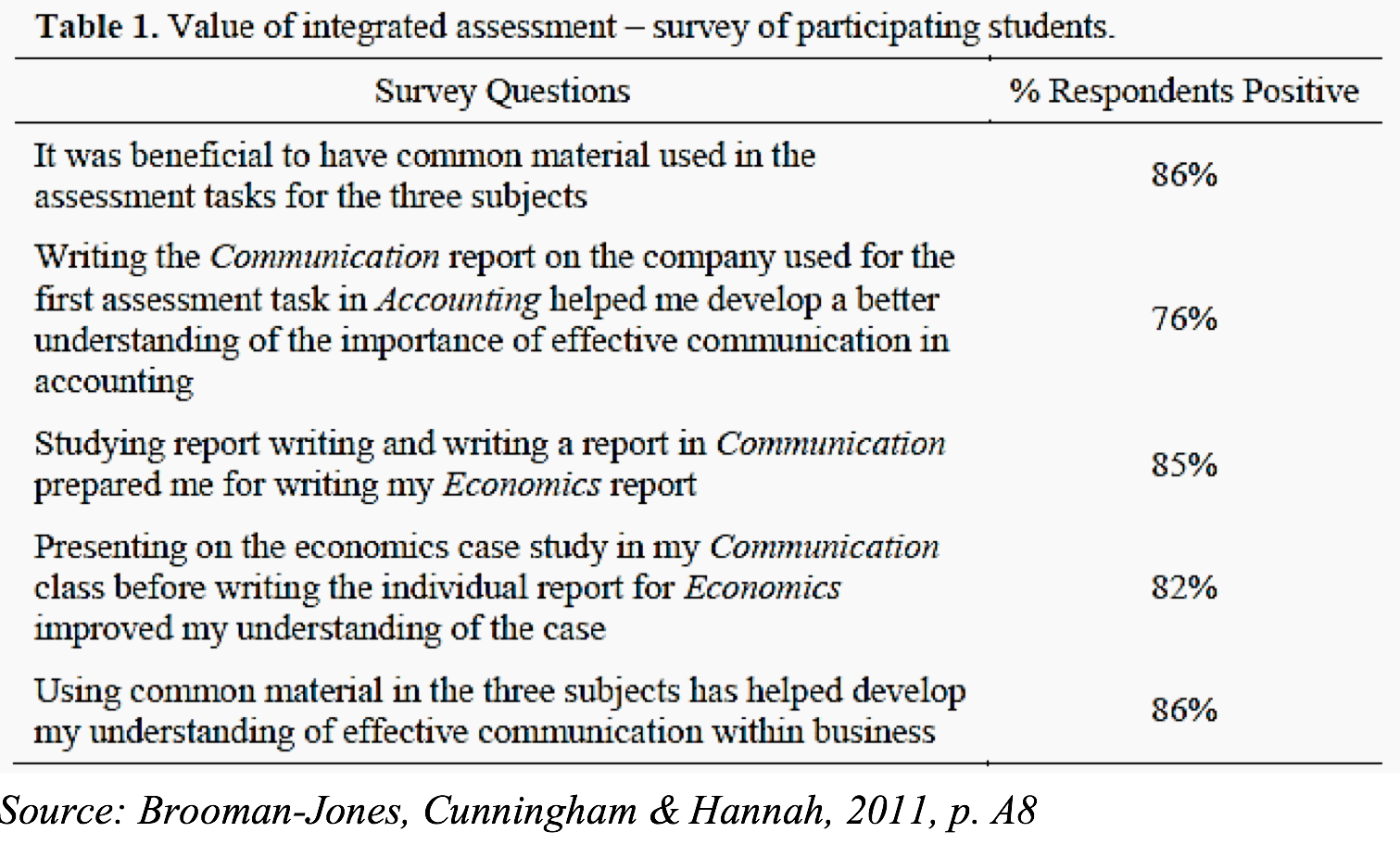
Some figures or tables may also need notes to provide one or more of the following:
- specific information on a particular item in the figure/table
- general information on the figure/table as a whole
- source information (if copied/adapted from another source)
Place any notes directly below the relevant figure or table.
Appearance
Readability is most important whenever you include figures or tables in your writing.
- Mark all axes clearly on graphs.
- Use descriptive column headings on tables.
- Type size is generally smaller than the text in the paragraph, but no smaller than 8 pt, or larger than 14 pt.
- Place them close to the text where they are first mentioned, preferably in the same paragraph.
- Do not extend them outside the page margins.
- Do not split a table over two pages (unless it is large); leave a small gap at the bottom of the page and carry it over to the next page.
- Alignment of data within table columns depends on the type of data and other specific requirements, but generally the following applies:
- whole numbers are right-aligned
- decimals are aligned to decimal points
- text in columns are left-aligned
Appendices
If the figure or table provides further evidence but is not critical to illustrate your argument, then include it as an appendix and refer to it in your text, like this, "As can be seen in Appendix 1, the elephant population is in rapid decline."
Academic writing sometimes requires notes to the main text. These notes may contain information to supplement or explain the main text, and/or information about your sources.
The notes may be displayed as footnotes (at the bottom of the page) or endnotes (at the end of the work). Notes are numbered in a single sequence throughout a piece of work and normally set one or two points smaller than the general text.
Most word-processing software has a footnote/endnote function that inserts numbers and formats notes automatically. Different referencing styles require different formatting, so check which style you are required to use in your academic writing. One style that involves inserting footnotes into the text is Chicago citation style.
Depending on your chosen referencing/citation style, your reference list might also be called a bibliography or works cited. This should come at the end of your assignment.
Place the appropriate heading in bold font, centred at the top of the page. Each source should have its own line. The formatting of the citations themselves must adhere to your chosen referencing style. Refer to FedCite for the examples of how to organise your reference list, bibliography or works cited list in academic writing.